Account Delete Guide
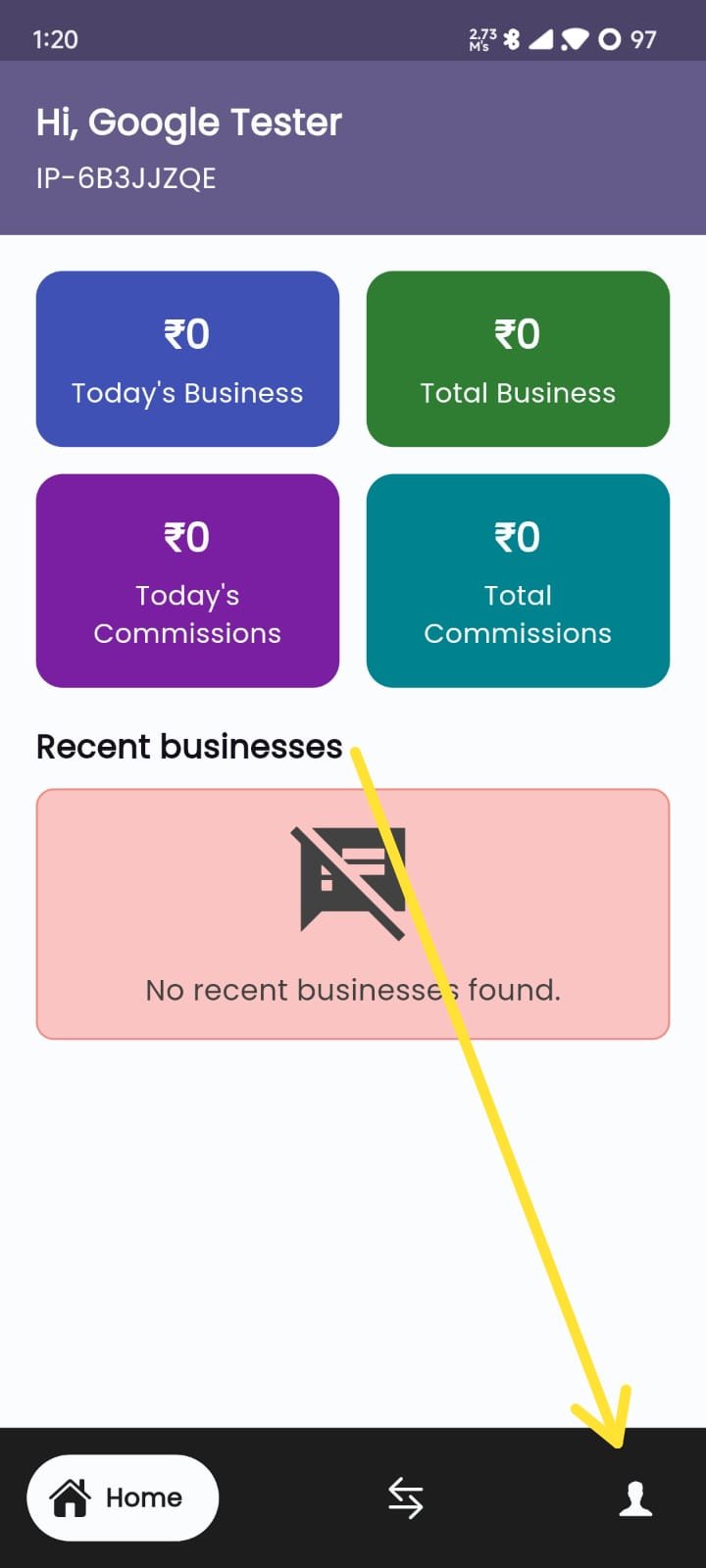
Open your "SafeSurance" application.
>>> Then go to the profile page (By clicking the
settings
icon).
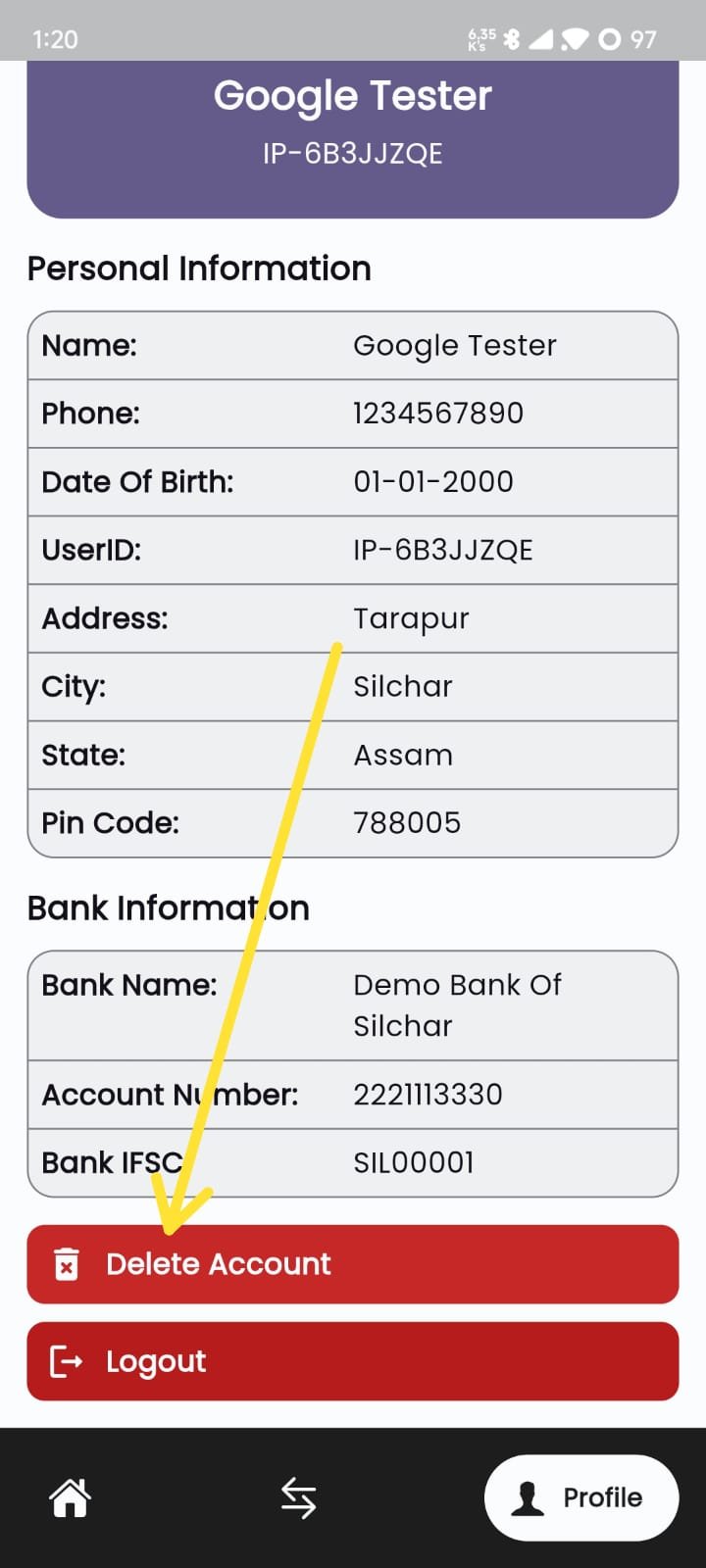
On the Profile page, you can find the button named "Delete Account".
>>> Then Click on the button.
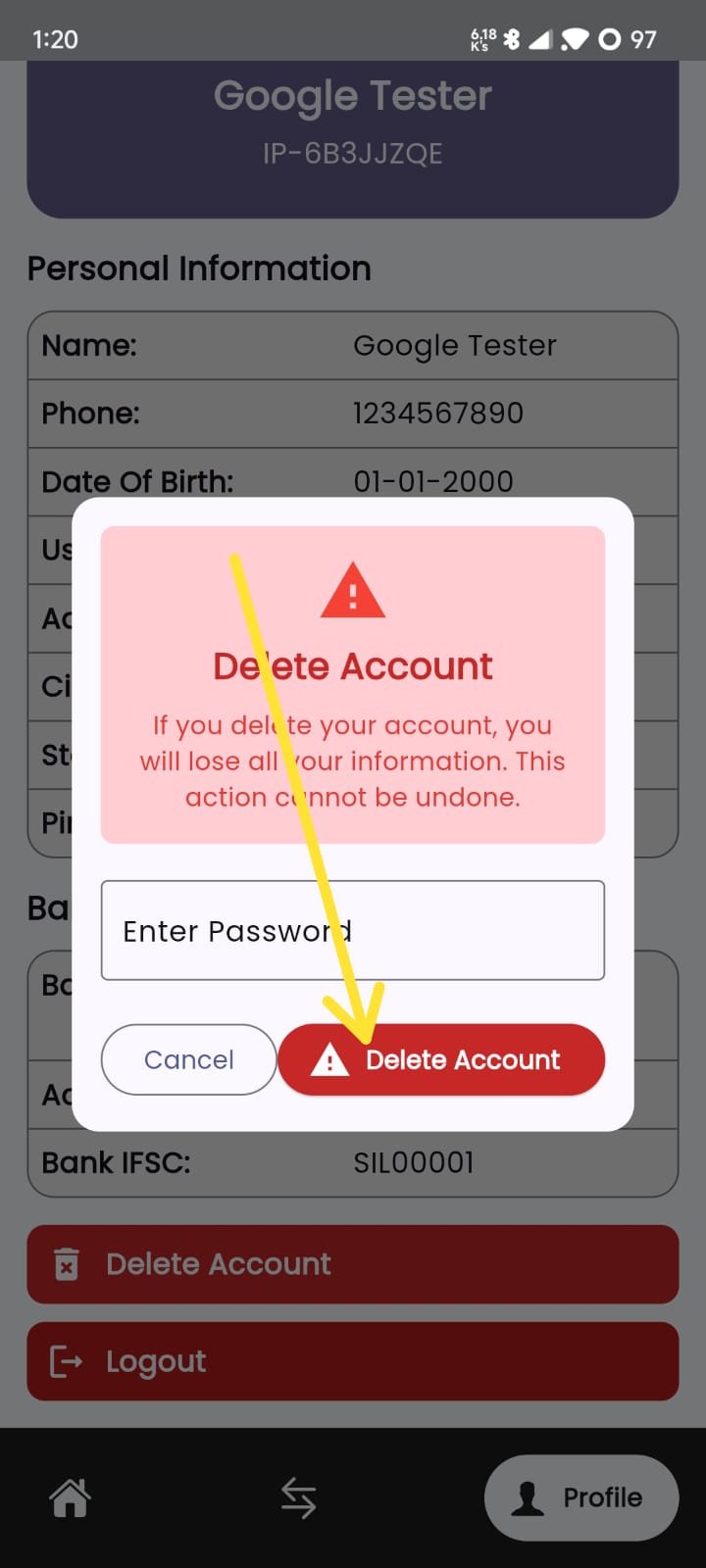
Enter your profile password and then click on the "Delete Account" button to delete your account.